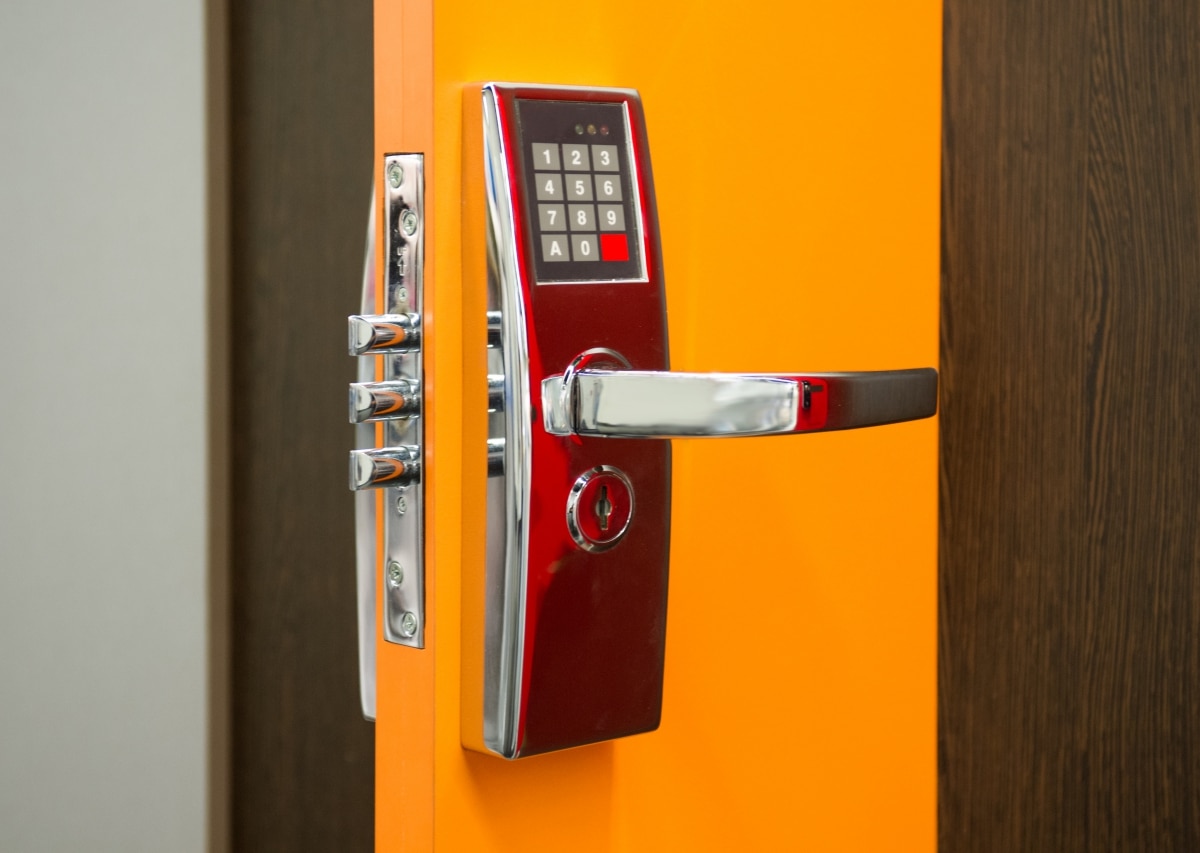
Smart locks and electronic keypads have come a long way since the early days of clunky keypad deadbolts. In 2026, the options range from basic keypad deadbolts under $100 to fully integrated smart locks with biometric access, remote management, and access logs. As a certified Journeyman Locksmith in Fort McMurray, I install and service electronic locks regularly — and I have strong opinions about when they make sense and when a quality traditional deadbolt is still the better choice.
Fort McMurray Locksmith is a proud member of the Fort McMurray Chamber of Commerce, serving this community for over two generations.
Types of Electronic Locks Available in 2026
Before getting into pros and cons, it helps to understand what is actually available — because not all electronic locks are the same:
- Electronic keypad deadbolts — battery-powered, code entry only, no app required. Simple, reliable, affordable. Good for most residential applications
- Smart locks with Bluetooth — connect to your smartphone via Bluetooth for proximity unlocking and app control. Range is limited — requires your phone to be nearby
- Wi-Fi smart locks — connect to your home Wi-Fi for remote access from anywhere. Lock and unlock from across the world, get notifications, share access remotely
- Biometric locks — fingerprint readers that store multiple fingerprints. Fast and convenient but more expensive and fingerprint readers can struggle in cold, wet conditions
- Smart lock with physical key backup — most quality smart locks include a traditional key cylinder as a backup. This is the right choice for Fort McMurray winters
Pros of Electronic Locks
No More Hiding Keys Outside
The fake rock, the door mat, above the door frame — these are known spots. Electronic locks eliminate the need to hide physical keys by allowing you to set codes for anyone who needs access. Dog sitters, house sitters, contractors, and family members all get their own codes — no keys to hand out, copy, or track down.
Temporary and Expiring Access Codes
Most smart locks allow you to set temporary access codes that expire automatically. Give a contractor a code that works only during business hours on specific days. Give a house sitter a code that works only while you are on vacation. When the work is done the code is gone — no rekeying required. This is one of the most genuinely useful features for Fort McMurray homeowners who regularly deal with service workers and tradespeople.
Remote Access and Monitoring
Wi-Fi connected smart locks let you lock and unlock your door from anywhere with a cell signal. Forget whether you locked the door? Check the app. Someone needs to get in while you are at work? Unlock it remotely. Get a notification every time the door is unlocked? Set that up too. For families with kids coming home from school or seniors who sometimes need extra help, this remote monitoring capability is genuinely valuable.
No Keys to Lose
Losing your keys is significantly less stressful with a smart lock. You still have a code — and most smart locks have a physical key backup for emergencies. A forgotten or lost key no longer means a locksmith call at midnight.
Convenience in Fort McMurray Winters
Fumbling for keys at -30°C while carrying groceries is a real Fort McMurray problem. A lit keypad that takes one hand to operate is a legitimate quality-of-life improvement in winter conditions.
Cons of Electronic Locks
Battery Failure in Cold Weather
This is the most common issue I see in Fort McMurray specifically. Electronic lock batteries drain faster in cold temperatures — and a dead battery means a locked door. Most quality locks give low-battery warnings well in advance, and many have a 9-volt terminal on the exterior that allows emergency power from a battery. But this requires you to always have a 9-volt battery accessible.
The fix: replace batteries proactively twice a year — spring and fall — regardless of the battery indicator. Also choose a lock with a physical key backup so you are never fully locked out.
Technology Failures and Lockouts
We get calls at Fort McMurray Locksmith regularly from homeowners locked out of their smart locks. Common causes include:
- Forgotten codes — especially if the code was changed and not updated with all family members
- Too many failed code attempts triggering a lockout mode
- App connectivity issues with the lock
- Firmware updates that reset or change lock behavior
- Dead battery with no physical key backup and no 9-volt terminal accessible
The solution for most of these is having a physical key backup and Fort McMurray Locksmith’s number saved — 780-588-5383.
Cost
A quality Grade 1 deadbolt costs $40-80 and lasts 20+ years with minimal maintenance. A quality smart lock costs $150-400 and has a lifespan of 5-10 years before electronics degrade or the manufacturer stops supporting the app. The convenience premium is real.
Budget options exist — but cheap electronic locks often have poor build quality, weak deadbolts, and unreliable software. A $40 smart lock from a discount retailer is not a security upgrade.
Worn Keypads Reveal Your Code
Over time, the buttons used most frequently on a keypad show visible wear — giving someone watching enough information to narrow down your code significantly. Change your code every 6-12 months to address this, or choose a lock that randomizes button positions on the touchscreen.
Wi-Fi Security Concerns
Any device connected to your home Wi-Fi is a potential attack surface. Quality smart lock brands take security seriously and use encrypted connections — but budget brands sometimes do not. Stick with established brands and keep firmware updated.
My Recommendation — Who Should Get an Electronic Lock
Electronic locks make the most sense for:
- Families with kids who frequently lose keys
- Homeowners who frequently have service workers or house sitters needing access
- Rental property owners who need to change access between tenants without rekeying
- People who travel frequently and want remote monitoring
- Anyone who wants to eliminate the hidden spare key outside
Traditional deadbolts are still the better choice for:
- Anyone who wants maximum simplicity and reliability with zero technology dependencies
- Secondary entry points where convenience features are not needed
- Anyone unwilling to manage battery replacement proactively
- Tight budgets — a $60 Grade 1 deadbolt properly installed beats a $50 budget smart lock every time
The honest answer is that the best setup for most Fort McMurray homes is a combination — a quality smart lock on the front door for convenience, and quality traditional deadbolts on secondary entry points for reliability.
Fort McMurray Locksmith installs both. See our residential locksmith services page or call us and describe what you are looking for — we will give you an honest recommendation before doing any work.
Fort McMurray Locksmith — smart lock installation and traditional deadbolts for Fort McMurray homes.
Call 780-588-5383 or Book a Locksmith in Fort McMurray.